







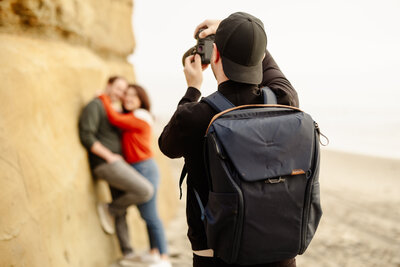



If you shoot portraits — seniors, headshots, family sessions, anything with a backdrop — you already know the tax that comes after the shutter clicks: wrinkled vinyl, dust and creases showing up in every frame, a stray light stand in the corner you swore you cropped out. Multiply that by a full gallery and you’ve lost hours before you’ve even touched skin retouching or color.
That’s the exact problem we started using Evoto to solve, and specifically its Background Cleanup tool. Here’s what it actually does and where it fits into a real shoot workflow.
What Evoto’s Background Cleanup Feature Actually Does
Background Cleanup is Evoto’s AI-powered tool for fixing studio and on-location backdrops without manual masking. It handles four things specifically:
Wrinkle and crease removal. If you shoot on vinyl or muslin backdrops, you know they never stay perfectly smooth. This tool detects creases and folds and smooths them out automatically, so you’re not steaming a backdrop between every set of shots.
Color banding correction. Solid-color backdrops can show visible streaks or lines under certain lighting. Evoto detects and evens out that banding so the background reads as one clean, seamless color.
Background clutter removal. Stands, cords, and other studio gear that sneak into frame get cleaned up with a single click — no manual selection or layer masking required.
Batch editing across a full gallery. This is the one that actually saves time. Instead of applying these fixes image by image, you set it once and apply it across an entire shoot — dozens or hundreds of images — at the same time.
Where This Fits Into a Real Shoot (Senior Portraits, Specifically)
We’ve been running this on senior portrait sessions, and it’s changed the math on turnaround time. A senior session isn’t one backdrop and one look — it’s outfit changes, backdrop changes, indoor and outdoor setups, sometimes 600+ frames before culling even starts. Cleaning up creases and clutter on that volume used to be one of the slowest parts of post-production. Now it’s a batch job that runs while we’re working on something else.
The result: cleaner galleries, faster delivery, and more of our time going toward retouching decisions that actually require a human eye — not backdrop maintenance.
Don’t Forget Flyaway Hair
Clean backdrops solve half the problem — the other half, especially on outdoor sessions, is hair. Any breeze, humidity, or static electricity leaves flyaways standing up around the hairline, and those show up just as clearly as backdrop wrinkles once you’re looking at the full-res image. Evoto’s AI Stray Hair Remover handles this the same way it handles backgrounds: automatically, and across a whole gallery at once.
The tool detects flyaway and staticky hair both within the portrait outline (uneven edges, baby hairs) and beyond it, and smooths them out while keeping the rest of the hair texture natural rather than airbrushed. It also works on group shots, adapting to different hair lengths, colors, and textures per person, and it holds up on dyed hair. Beyond flyaways, the same hair panel covers hairline refinement and gap filling, so touch-ups stay in one place instead of bouncing between tools.
Like Background Cleanup, this one is built for volume: you edit the hair on one photo, then copy and paste that edit across the rest of the gallery. For an outdoor senior session where every setup means new wind, new light, and new flyaways, that’s the difference between manually retouching hair on 300 images and running one batch pass.


Where This Fits Into a Real Shoot (Senior Portraits, Specifically)
We’ve been running this on senior portrait sessions, and it’s changed the math on turnaround time. A senior session isn’t one backdrop and one look — it’s outfit changes, backdrop changes, indoor and outdoor setups, sometimes 300+ frames before culling even starts. Cleaning up creases and clutter on that volume used to be one of the slowest parts of post-production. Now it’s a batch job that runs while we’re working on something else.
The result: cleaner galleries, faster delivery, and more of our time going toward retouching decisions that actually require a human eye — not backdrop maintenance.
The Rest of the Evoto Toolkit
Background Cleanup isn’t the only reason we use Evoto, so it’s worth a quick rundown of the rest of the workflow:
- AI Culling scans a full shoot and flags blur, poor exposure, or closed eyes, so you’re not manually sorting hundreds of near-duplicates before editing even starts.
- AI Portrait Retouching and Skin Tone tools handle skin smoothing and blemish removal while keeping texture natural, rather than the over-processed look.
- AI Color Match applies a color profile from a single reference photo across an entire series, useful for keeping a multi-setup session visually consistent.
- Batch processing overall is estimated at roughly 78% faster editing and 64% faster batch processing compared to more conventional editors.
Pricing and Credits
Editing and previewing in Evoto is free — you only spend a credit when you export an image. Credits are available as a one-time package (with a two-year expiration) or as an annual subscription, so you can scale based on how much volume you actually shoot.
Try It Yourself
If your gallery turnaround time is bottlenecked by backdrop cleanup and batch editing, it’s worth testing on your own shoot. We’ve got a code for our readers:
CAMERONANDTIA — 15% off annual subscriptions under 9,000 credits, or 20% off pay-as-you-go credits.
Start here: Evoto AI Photo Editor Or go straight to the feature we covered: Background Cleanup Tool